

- Top Construction Time Clock Apps
- 1. SmartBarrel – Best for Large, Multi-Site Crews
- 2. Workyard – Best Overall Construction Time Clock App
- 3. busybusy – Best for Equipment & Job Tracking
- 4. Lumber – Best for Prevailing Wage & Certified Payroll
- 5. ClockShark – Best for Scheduling & Accounting Sync
- 6. ePortID – Best for High-Security Infrastructure Projects
- 7. Buddy Punch – Best Budget-Friendly Mobile Option
- ROI Breakdown: The True Cost of Buddy Punching
Buddy punching still bleeds contractors dry. A crew of five padding fifteen minutes a day at $25/hr quietly burns over $22,800 a year — and paper timesheets or basic punch cards can’t stop it. Biometric time clocks can.
Replacing outdated electronic time cards for construction with automated facial or palm recognition eliminates time fraud at the gate. Here are the best biometric time tracking solutions for construction projects in 2026, ranked by field reliability, offline capability, and return on investment.
Top Construction Time Clock Apps
| Software ⇅ | Best For ⇅ | Biometric Type ⇅ | True Offline Mode? ⇅ | Pricing Model ⇅ |
|---|---|---|---|---|
| SmartBarrel | Large crews, multi-site GCs | AI facial verification (PPE-ready) | Yes (Solar/LTE hardware) | Custom quote |
| Workyard | GPS-verified labor costing | Photo ID capture + Geofencing | Yes (Local cache & auto-sync) | From $6–$13/user/mo + base |
| busybusy | Equipment-heavy operations | Photo-based facial match | Yes (Offline storage) | Freemium / Paid tiers |
| Lumber | Prevailing wage & certified payroll | Photo verification + AI anomaly checks | Partial (Sync required) | Custom quote |
| ClockShark | QuickBooks/Sage accounting sync | GPS punch + photo confirmation | Yes | From $9–$11/user/mo + base |
| ePortID | High-security infrastructure sites | Contactless palm vein scanning | Yes (Dedicated field kiosk) | Custom enterprise |
| Buddy Punch | Small teams & tight budgets | Facial recognition + QR/PIN | Limited (Requires connection) | From $19 base + user fee |
The Best Biometric Time Tracking Apps (Ranked)
1. SmartBarrel – Best for Large, Multi-Site Crews
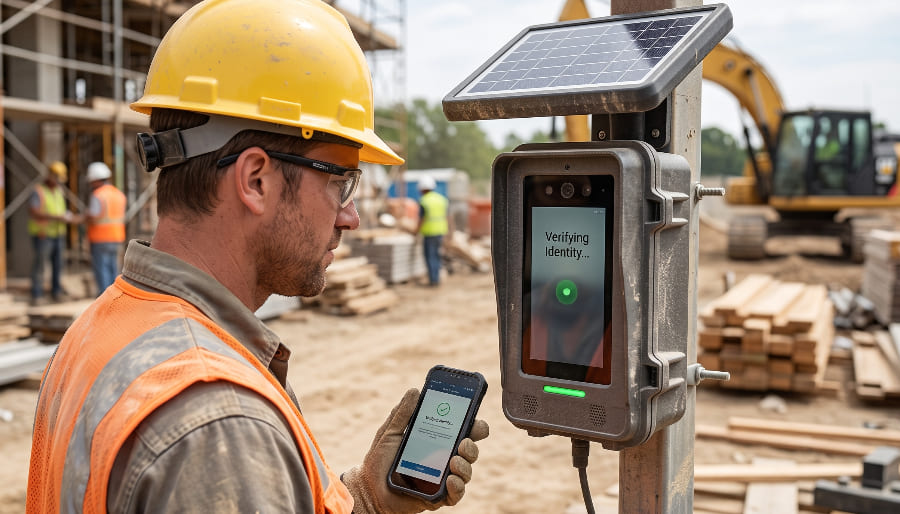
- The Verdict: Purpose-built construction hardware, not a repurposed office time clock. Its facial recognition engine is trained to verify workers wearing hardhats, safety glasses, and dust masks — the exact failure point of standard mobile apps.
- Pros:
- Solar-powered, LTE-connected physical kiosk — zero jobsite Wi-Fi required.
- Direct integrations with Procore, CMiC, Viewpoint, and Sage.
- Self-learning AI flags buddy punching and suspicious check-ins automatically.
- Cons:
- Requires upfront hardware deployment.
- Custom quote pricing designed for operations with 50+ workers.
- The Buddy Punching Factor: Industry-leading. The algorithm compares daily punch images against an evolving historical profile rather than a static reference photo, making photo-swapping impossible.
2. Workyard – Best Overall Construction Time Clock App
- The Verdict: The benchmark for mobile-first contractors who need precise job costing without buying specialized hardware. Pairs automated geofencing with facial photo audit trails.
- Pros:
- High-precision GPS tracking ("Meerkat" technology) that records exact site entry/exit times.
- Two-way payroll sync with QuickBooks, ADP, Paychex, Gusto, and Sage.
- Real-time labor cost tracking tied directly to cost codes.
- Cons:
- $50/month base fee can be steep for solo trades or 2-person crews.
- Prevailing wage management is less granular than dedicated compliance platforms.
- The Buddy Punching Factor: Workers must take a photo within the geofenced perimeter. While not a fully automated biometric block at the hardware gate, it generates an irrefutable audit trail that stops time padding immediately.
3. busybusy – Best for Equipment & Job Tracking
- The Verdict: Ideal when project time tracking requires monitoring heavy machinery alongside crew labor. Built specifically for field operations with robust offline reliability.
- Pros:
- Logs machine operating hours directly alongside worker timesheets.
- Extensive ERP integrations including Procore, Foundation Software, and Sage.
- True offline mode stores punch data locally until a cell connection is restored.
- Cons:
- Requires workers to pre-enroll baseline profile photos manually.
- Facial recognition operates as an auditing layer rather than a strict entry gate.
- The Buddy Punching Factor: Solid deterrent. Supervisors receive instant alerts when a captured punch photo does not match the enrolled profile.
4. Lumber – Best for Prevailing Wage & Certified Payroll
- The Verdict: Built for public works and commercial contractors navigating complex labor compliance, Davis-Bacon requirements, and union payroll rules.
- Pros:
- Automates WH-347 certified payroll generation.
- Multi-state prevailing wage logic and union rate tables built natively.
- AI anomaly detection flags misallocated hours and rate mismatches before payroll runs.
- Cons:
- Requires scheduling a sales demo (no self-serve onboarding).
- Steeper learning curve for simple residential projects.
- The Buddy Punching Factor: Combines facial photo capture with AI payroll anomaly audits to flag impossible hours, overlapping shifts, and ghost punches.
5. ClockShark – Best for Scheduling & Accounting Sync
- The Verdict: A dependable choice for trade contractors (10–50 workers) who run scheduling and job costing through QuickBooks Online or Desktop.
- Pros:
- Intuitive drag-and-drop scheduling combined with mobile time tracking.
- Fast crew onboarding with minimal technical training.
- Reliable GPS breadcrumbing during working hours.
- Cons:
- Biometrics rely on photo verification rather than advanced 3D face mesh matching.
- Base subscription fee plus per-user costs scale quickly.
- The Buddy Punching Factor: Photo confirmation on clock-in tied to GPS boundaries prevents off-site punches and off-schedule check-ins.
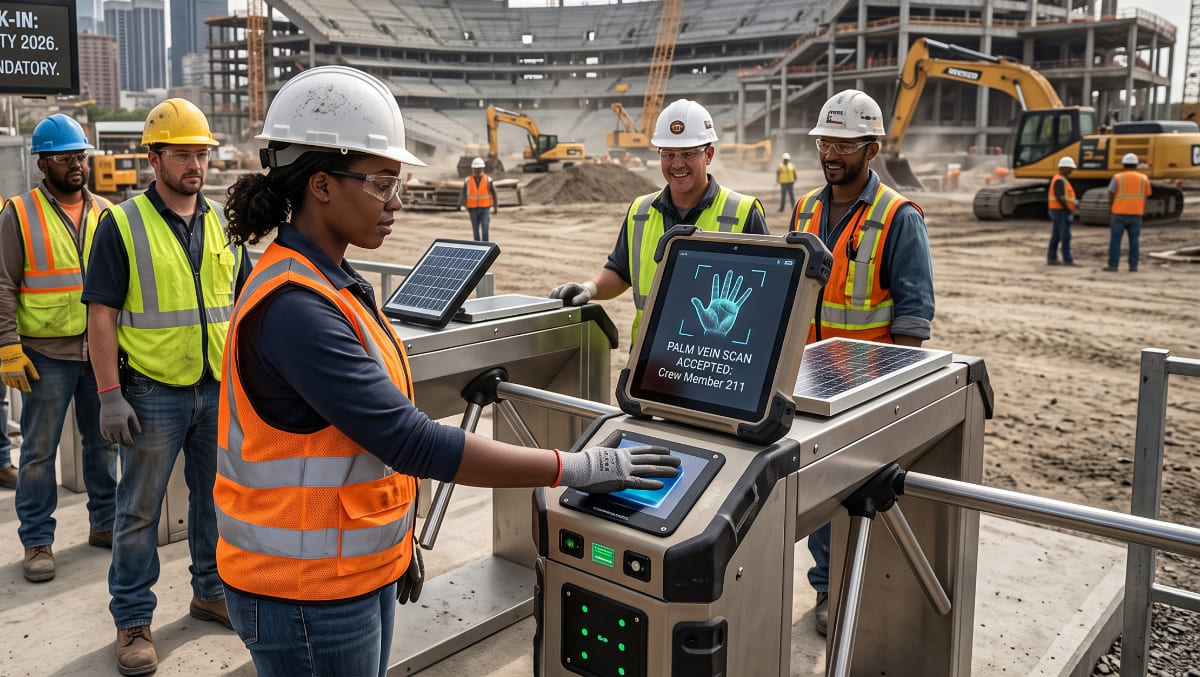
6. ePortID – Best for High-Security Infrastructure Projects
- The Verdict: Touchless palm vein recognition engineered for refineries, substations, government sites, and megaprojects where phone-based apps present security liabilities.
- Pros:
- Sub-dermal vascular patterns cannot be replicated, borrowed, or spoofed.
- Completely contactless scan executes in under 2 seconds.
- Standalone rugged field turnstiles and kiosks operate offline.
- Cons:
- Enterprise-only pricing structure.
- Over-engineered for standard residential or light commercial builds.
- The Buddy Punching Factor: Absolute zero-fraud tolerance. Palm vein structure is internal and unique, completely eliminating time theft.
7. Buddy Punch – Best Budget-Friendly Mobile Option
- The Verdict: An accessible entry point for smaller subcontracting crews that need basic biometric security without long-term hardware contracts.
- Pros:
- Affordable starting tier with flat monthly base rates.
- Supports facial recognition, PIN entry, and QR code badges.
- Fast self-serve implementation.
- Cons:
- Lacks ruggedized physical hardware options for harsh environments.
- Geofencing features require higher-tier plans.
- The Buddy Punching Factor: Front-camera facial recognition matches the punch photo against the worker's profile before approving the clock-in.
Face ID vs. Fingerprint on a Dirty Jobsite
Standard biometric hardware designed for corporate offices fails rapidly on a construction site:
- Why Fingerprint Scanners Fail: Concrete dust, hydraulic oil, heavy work gloves, and calloused fingers consistently degrade optical sensor match rates.
- Why Early Facial Recognition Failed: First-generation algorithms could not identify personnel wearing hardhats, tinted safety glasses, chin straps, and high-visibility masks.
- The 2026 Standard: Modern field-ready systems utilize multi-point facial mapping calibrated for PPE (Personal Protective Equipment) and contactless palm vein sensors that do not require clean skin contact.
ROI Breakdown: The True Cost of Buddy Punching
Time theft is rarely intentional malice; it is the compounding cost of rounding up 10 to 15 minutes at the start and end of shifts.
- Crew Size: 5 field workers
- Average Hourly Rate: $25.00/hr
- Inflated Time per Worker: 15 minutes / day ($6.25/day per worker)
- Total Annual Loss: $22,812.50 (based on 50 working weeks)
A software solution charging $8 to $12 per user per month pays for its entire annual subscription within the first week of deployment.
Frequently Asked Questions (FAQ)
For mobile-first operations, Workyard provides the best balance of GPS geofencing, photo verification, and accounting integration. For large multi-site general contractors needing jobsite hardware, SmartBarrel is the leading automated kiosk solution.
busybusy is the top choice for tracking equipment hours alongside labor, while ClockShark excels at job costing for trade contractors integrating directly with QuickBooks.
Most free tiers (such as basic versions of Jibble or Connecteam) limit functionality to simple GPS stamps and manual punch cards. True automated facial recognition, PPE compensation, and local offline data sync require paid tiers to cover cloud verification and AI compute costs.
Yes. Rugged systems like SmartBarrel, Workyard, and busybusy cache time stamps, GPS coordinates, and encrypted biometric logs locally on the device, syncing data automatically once connection is re-established.
Yes, provided employers follow basic compliance rules: obtain written employee consent, post a clear data retention/destruction policy, and avoid selling biometric identifiers. Employers in states with strict biometric privacy statutes (such as Illinois' BIPA or Texas Capture/Use of Biometric Identifier Act) should deploy software with built-in encryption and consent management.